Your team's decisions, checked by your coding agent before it edits code.
dlogs finds the decisions buried in your merged pull requests. You approve the ones that are right. Claude Code, Cursor and Codex check them before they change a file.
Free during beta. Sign in with your work email. Setup takes about 15 minutes.
You
Change token rotation to every hour.
dlogs · decisions for auth/token_rotation.py
Rotate auth tokens every 24 hours, not hourly
Hourly rotation exhausted the Redis connection pool.
Replaces: Rotate tokens every hour
Your agent
Your team already tried hourly rotation and moved away from it. I'll keep the 24-hour window. If that has changed, replace the decision first.
Your agent doesn't know what your team already decided.
The reason you rotate tokens every 24 hours is in a pull request from last year. Your agent never read it. So it changes the code back, and someone catches it in review. Or nobody does.
Set up in about 15 minutes
1
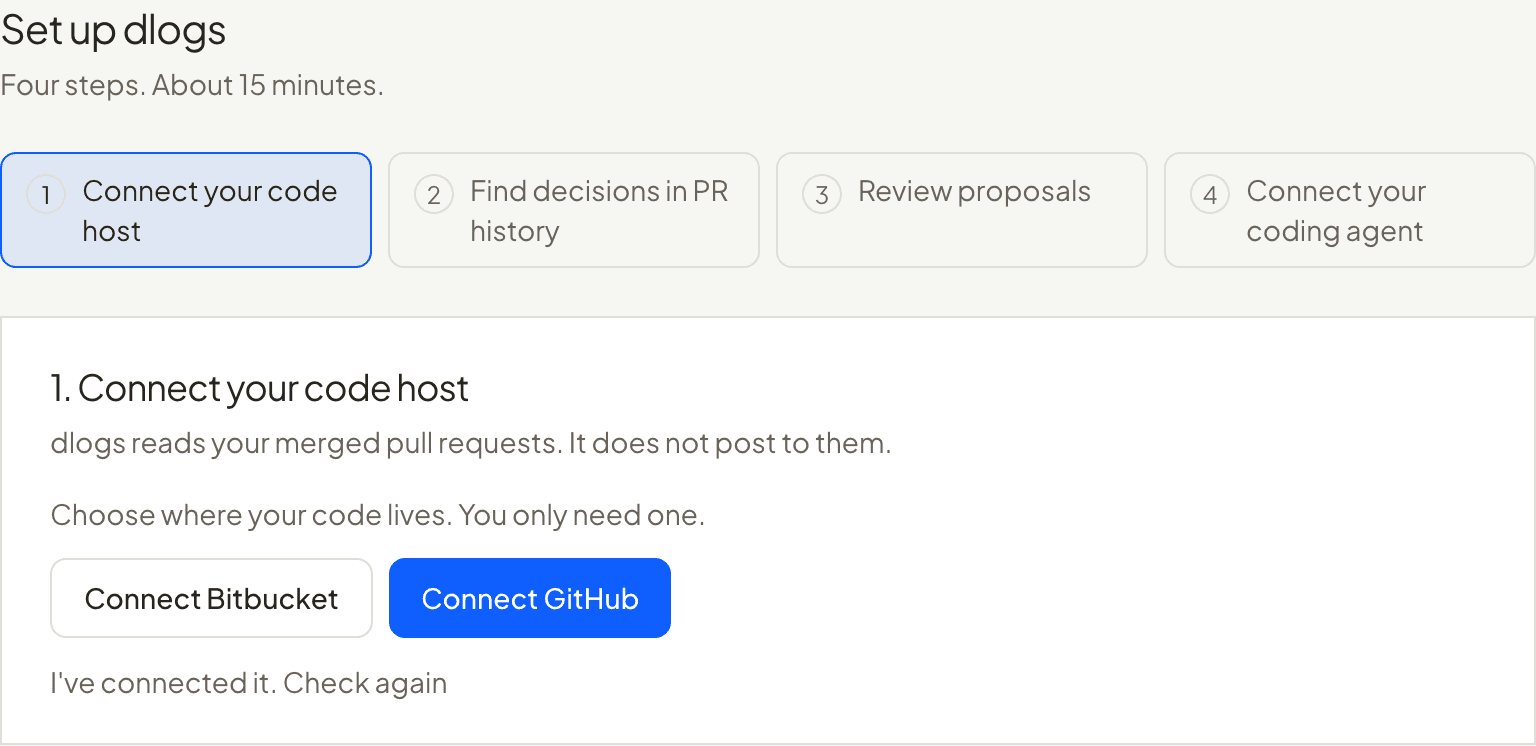
Connect your code host
GitHub or Bitbucket. dlogs reads your merged pull requests. It does not post to them.
Example 2
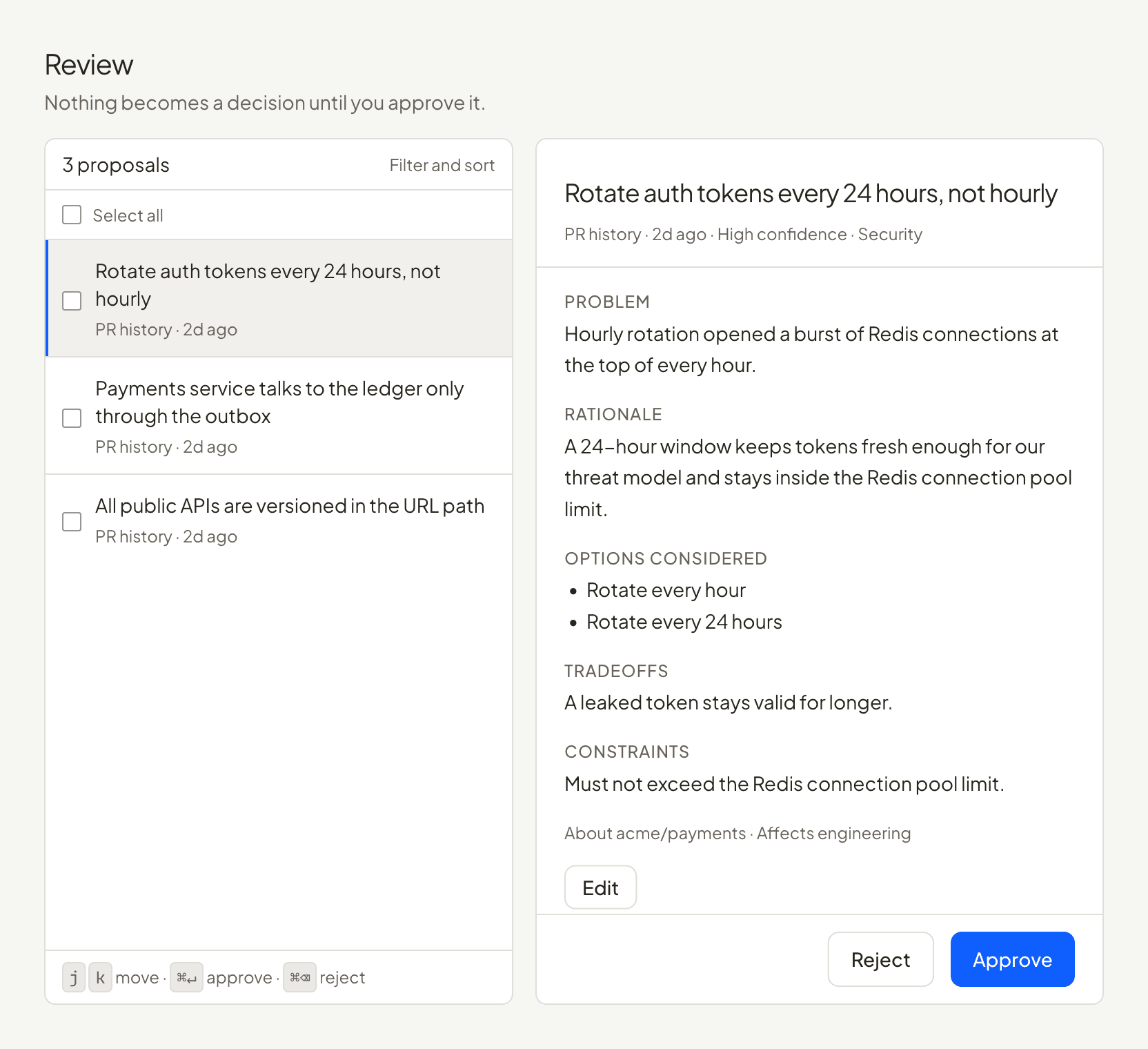
Review proposals
dlogs proposes the decisions it finds. Nothing becomes a decision until someone on your team approves it.
Example 3
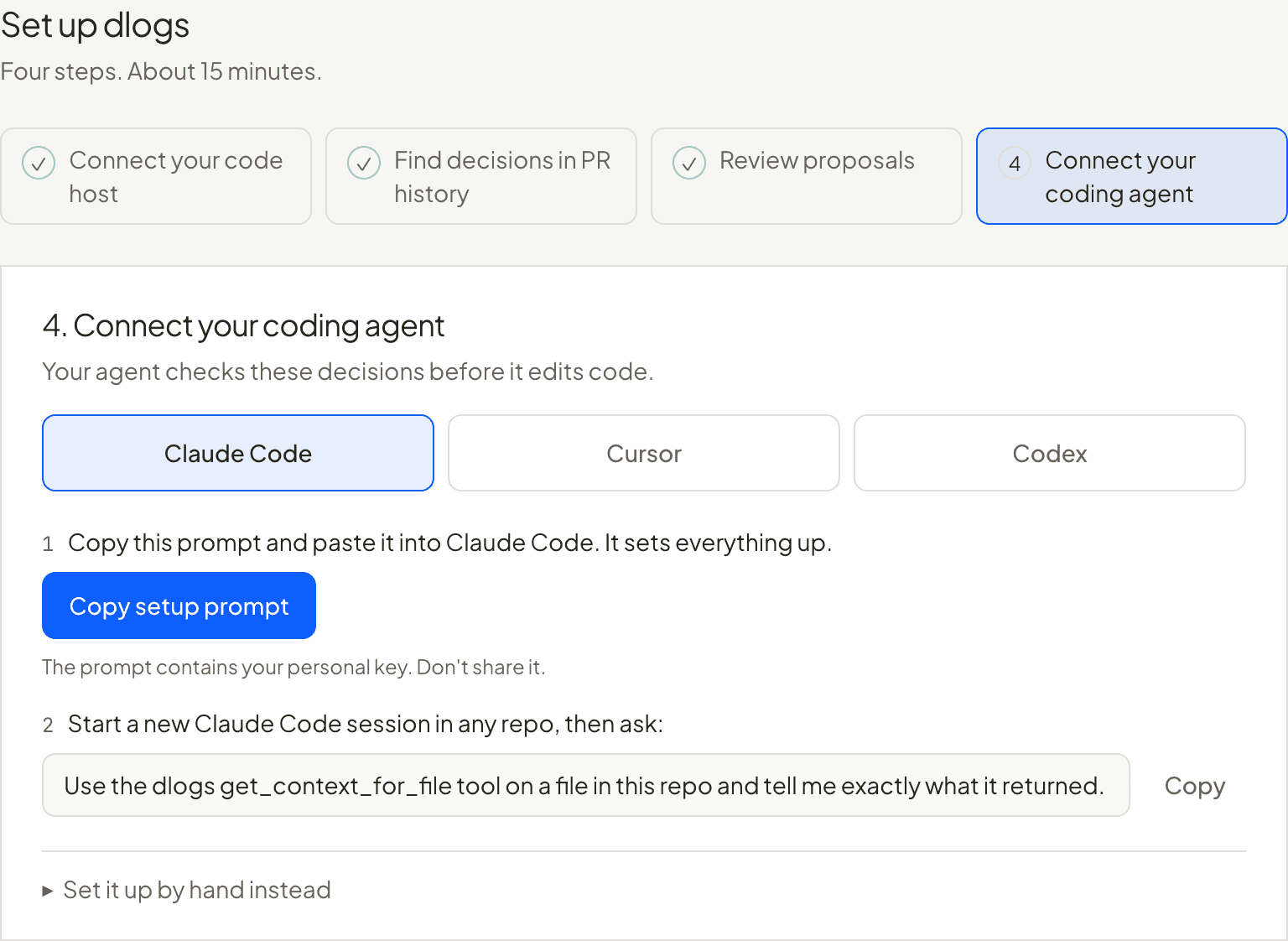
Connect your coding agent
Claude Code, Cursor or Codex. About two minutes per engineer, nothing to install. Add a short section to your repo's AGENTS.md so the agent checks every time.
Example
Why not just write it in AGENTS.md?
For a handful of rules, do that. It stops working when the rules number in the dozens and nobody remembers where they came from.
You start from your history
dlogs reads the pull requests you already merged. You are not filling in a blank file from memory.
The agent gets what applies
It asks about the file it is about to change and gets the decisions for that file, not one long document on every task.
Nothing is quietly rewritten
A decision is never edited in place. A new one replaces it, and the old one stays readable with its reason.
What dlogs reads, and what it never does
It reads merged pull requests
Only on the repositories you choose: titles, descriptions, file paths and short snippets of changed lines. Not whole files.
It never blocks a merge
It does not comment on your pull requests either, unless an admin turns that on.
It sends that text to OpenAI
That is how it finds decisions and searches them. Keys, tokens and passwords are redacted first.
A person approves every decision
dlogs and your agent can propose. Only someone on your team can approve.
The details: Security, Data handling, Scopes.
Questions
Is it free?
Yes. dlogs is free during beta. There is no paid plan and no card to enter.
Who is it for?
Engineering teams that use coding agents every day and keep their code on GitHub or Bitbucket Cloud.
Does AI write the decisions?
dlogs proposes decisions from your pull requests, and your agent can propose one while it works. A person approves or rejects every proposal. Nothing becomes a decision without that.
Which agents and code hosts work?
Claude Code, Cursor and Codex, with GitHub or Bitbucket Cloud. Other MCP clients can be connected by hand.
How do I get help?
Email support@dlogs.app.
Give your agent the decisions your team already made.
Free during beta. Sign in with your work email. Setup takes about 15 minutes.